 EmTape calculator app
The calculator that keeps the whole working, not just the answer.
EmTape turns calculations into saved documents you can search, review, pin, reuse, export, and keep organized with folders, templates, finance tools, and settings that match real day-to-day money work.
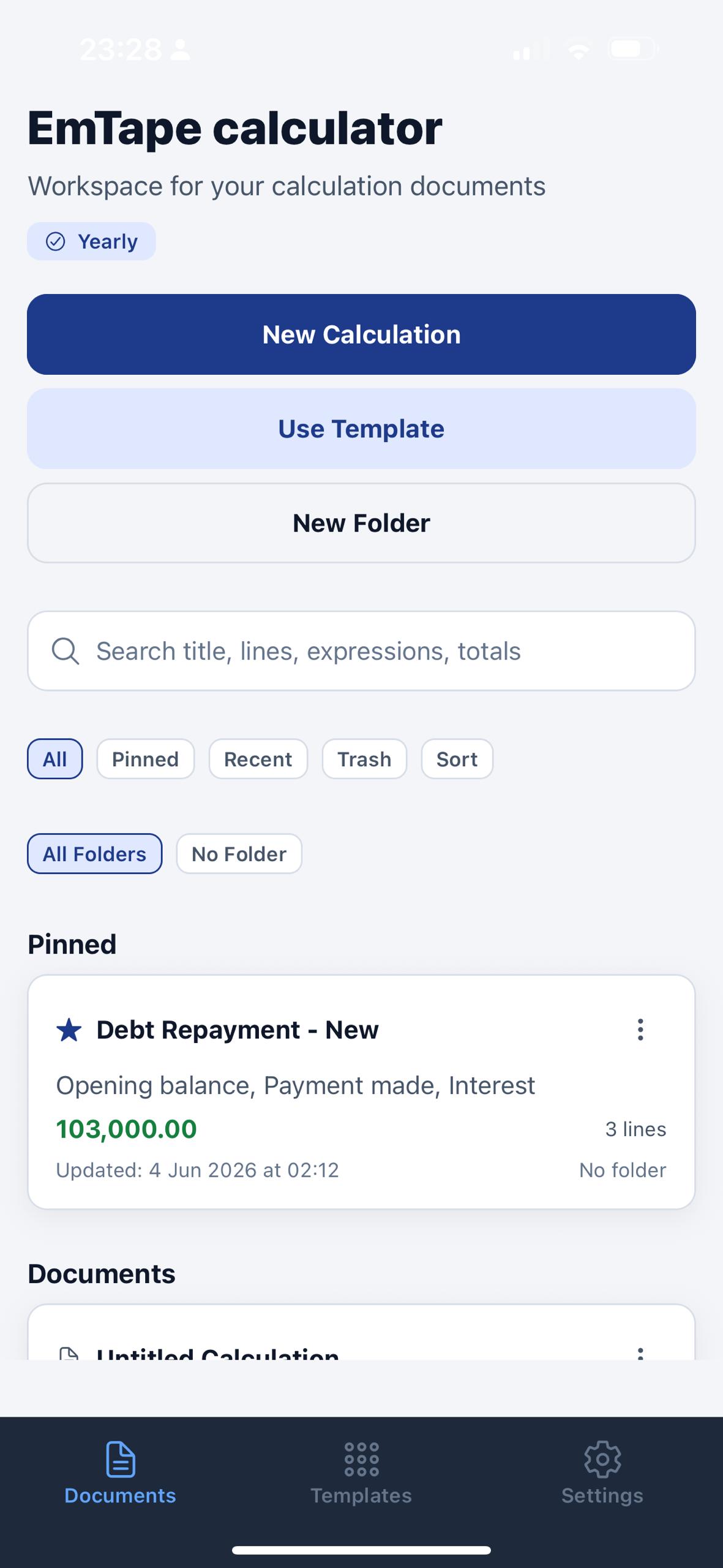
Save calculations as named records with visible totals, timestamps, line counts, and folder status.
Reuse debt repayment, daily sales, salary, rent, shopping, and custom layouts without rebuilding the tape.
Control theme, accent, export output, storage, subscription access, privacy, and legal surfaces from one place.
EmTape behaves like a finance notebook wrapped around a calculator.
The product is not just a keypad with a tiny history strip. It combines calculation tape, saved documents, reusable templates, finance shortcuts, export preferences, and subscription controls into one workflow.
Save calculations as real documents
Keep a searchable list of calculations, folders, pinned work, recent items, and trash instead of losing context after every total.
Work line by line, not result by result
Edit rows, continue from totals, handle positive and negative balances, and keep the full working visible while you type.
Turn recurring math into reusable layouts
Build templates for sales, budgets, rent, debt repayment, salaries, and other repeat calculations so you can start from structure instead of blank tape.
Jump into common money tools fast
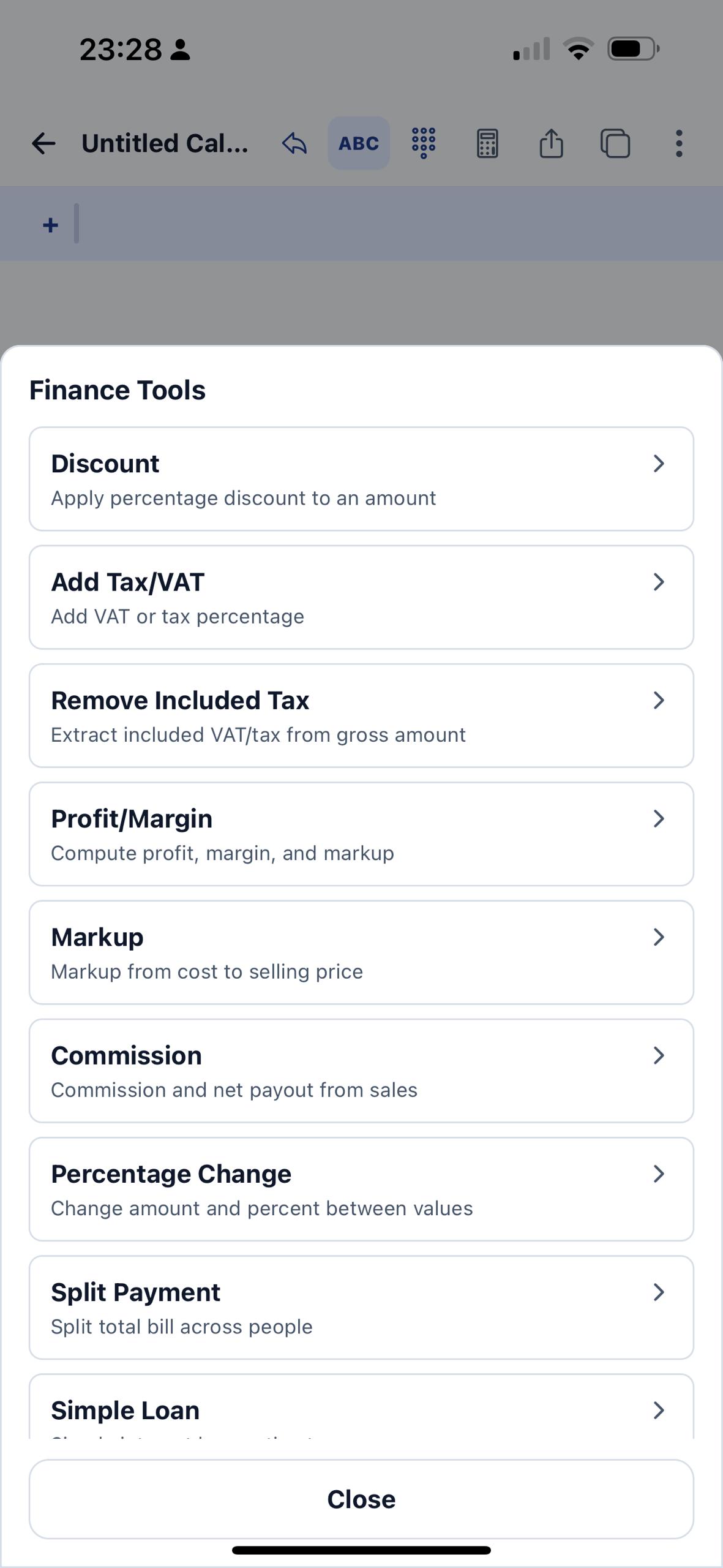
Open shortcuts for discount, tax, markup, profit margin, commission, percentage change, split payment, and loan-style calculations from inside the calculator flow.
Control how polished results leave the app
Choose PDF style, include or hide expressions, set header and footer text, and manage backup and restore from one export settings area.
Keep settings, permissions, and legal controls visible
Theme, density, keypad behavior, storage, privacy options, subscriptions, restore purchases, and legal documents all live in the app settings instead of being hidden.
Start from documents, not from an empty calculator every time.
The home workspace already shows how EmTape is meant to be used: create a calculation, drop it into folders, search by title or totals, pin important work, and revisit saved histories instead of copying numbers into notes.
- Named calculations keep a visible total, timestamp, line count, and folder assignment.
- Search reaches titles, lines, expressions, and totals from the main workspace.
- Filters for all, pinned, recent, trash, and sort help when the notebook gets busy.
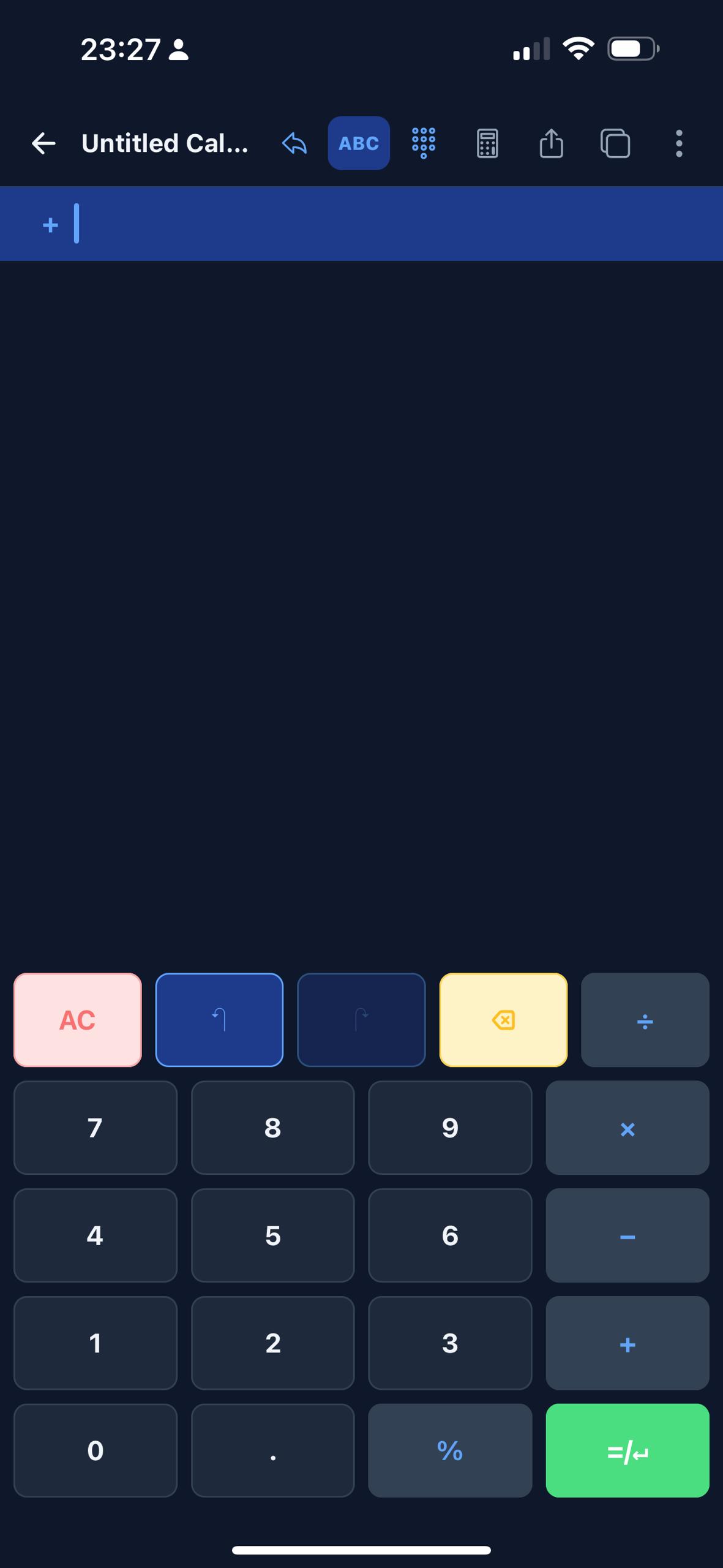
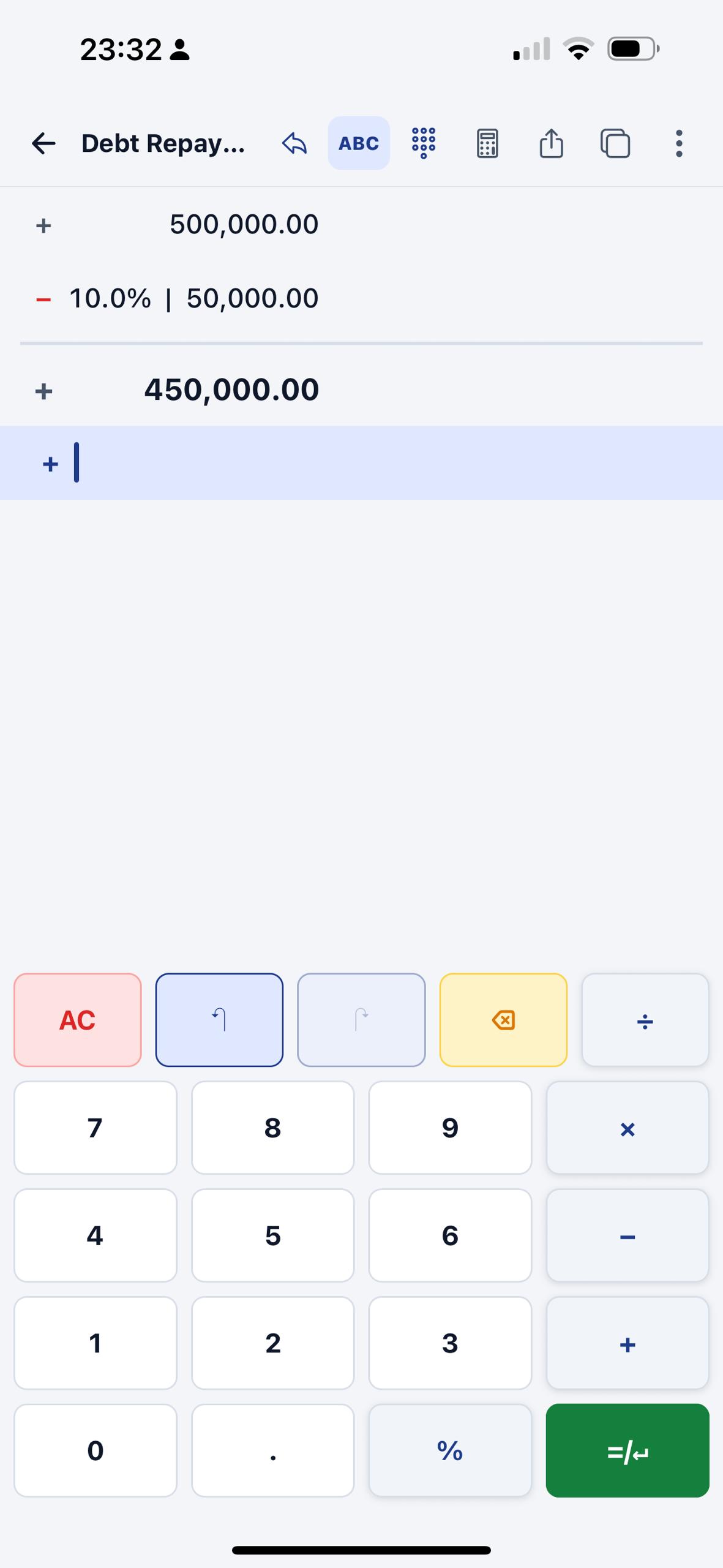
Keep the arithmetic visible while the keypad stays live.
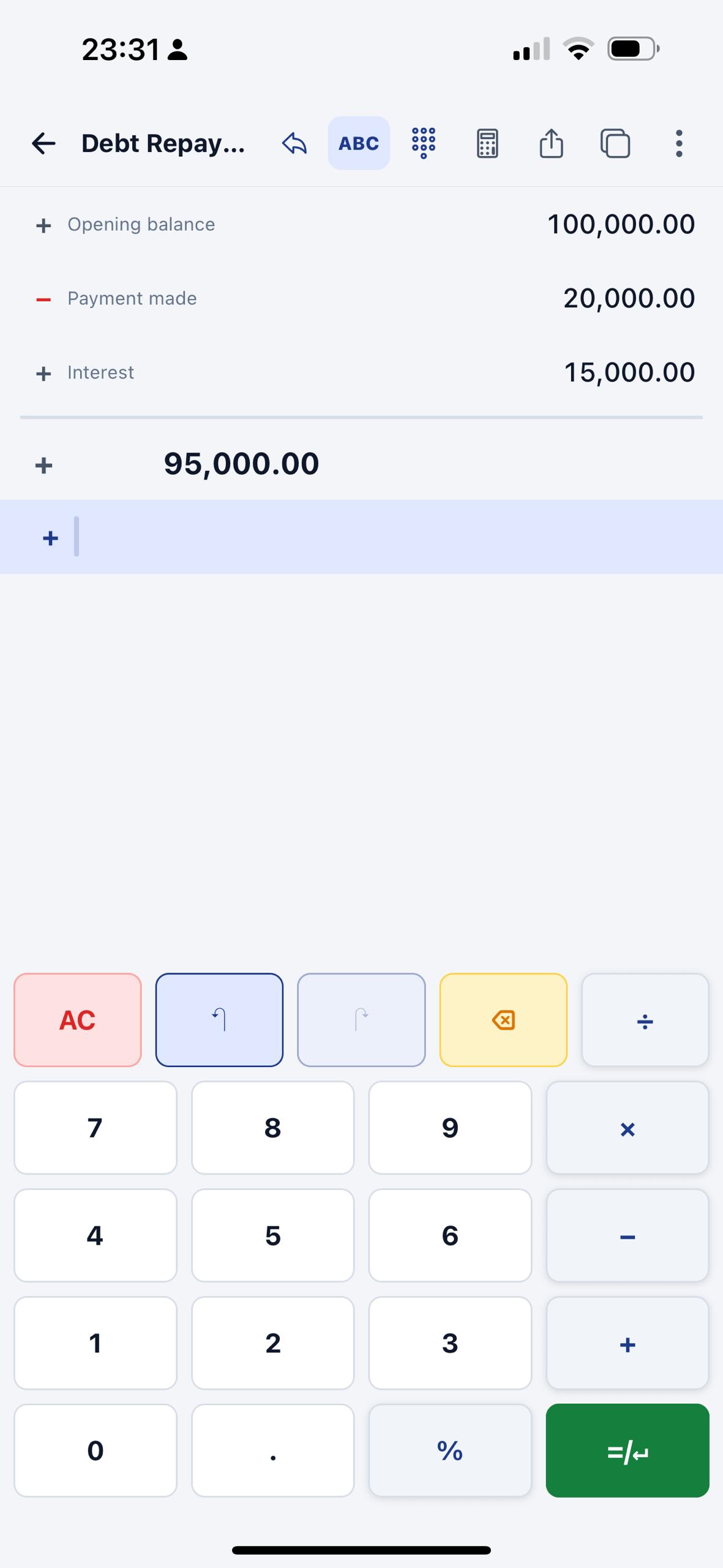
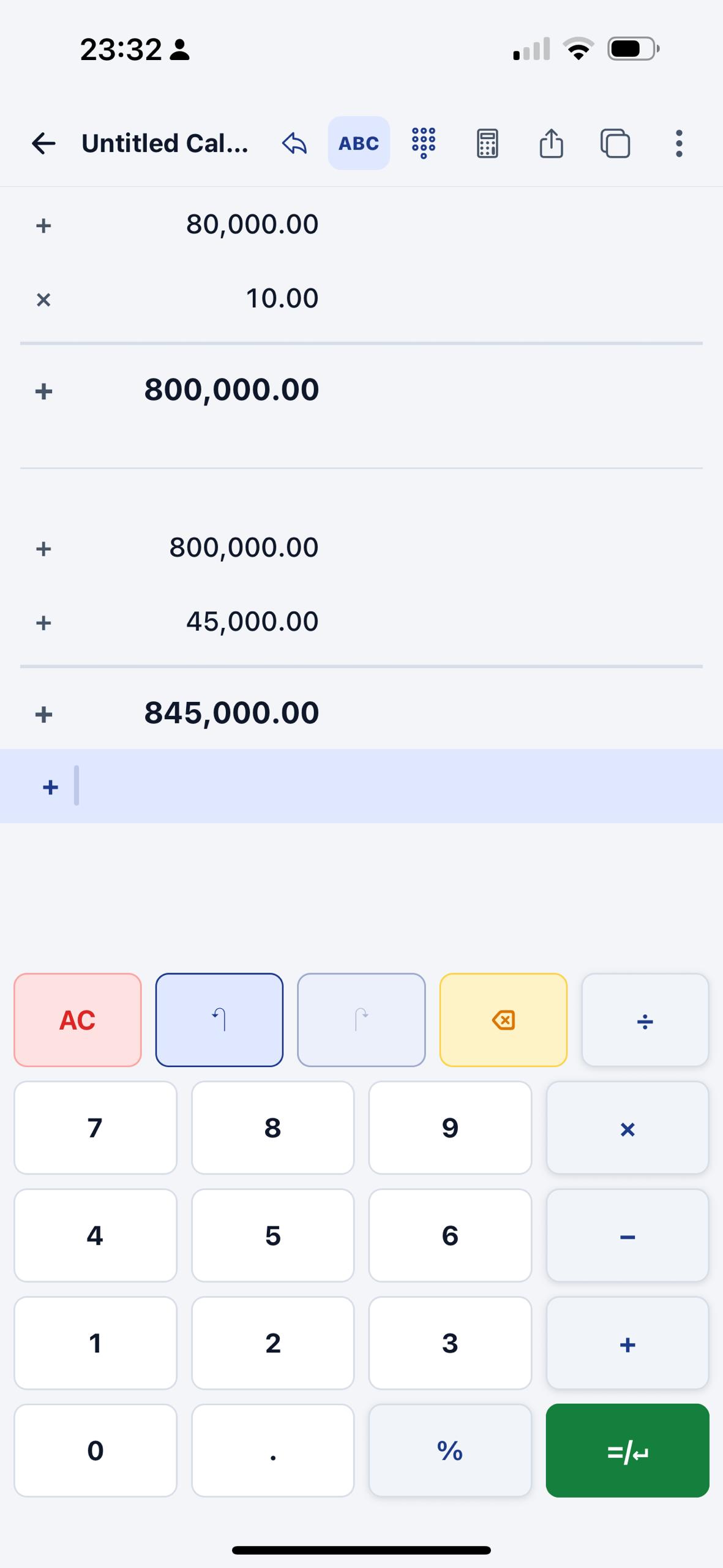
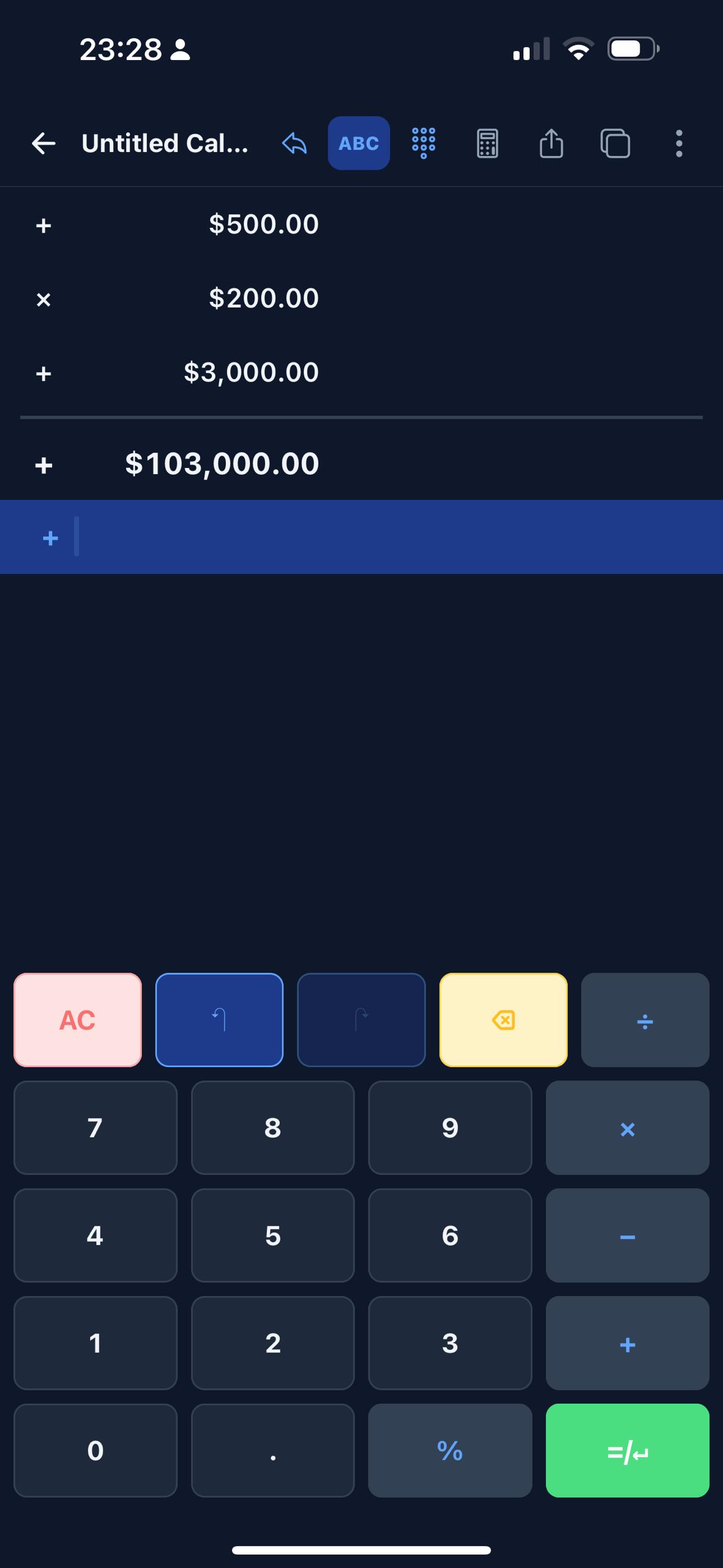
The main calculator screen is built around editable rows and running totals, which makes tasks like debt repayment, wages, deductions, and negative balances easier to reason through without restarting from scratch.
- Enter values line by line and see the running result update inside the same document.
- Use light or dark mode while keeping the tape readable and color-coded.
- Negative results are clearly emphasized instead of disappearing into a generic result bar.
Move fast with templates and finance tools built into the same app.
Instead of forcing every workflow into raw arithmetic, EmTape lets you save structures as templates and then jump to money-specific helpers when discount, tax, margin, commission, split payment, or loan math comes up.
- Template categories already cover business, loans, budgeting, shopping, rent, and more.
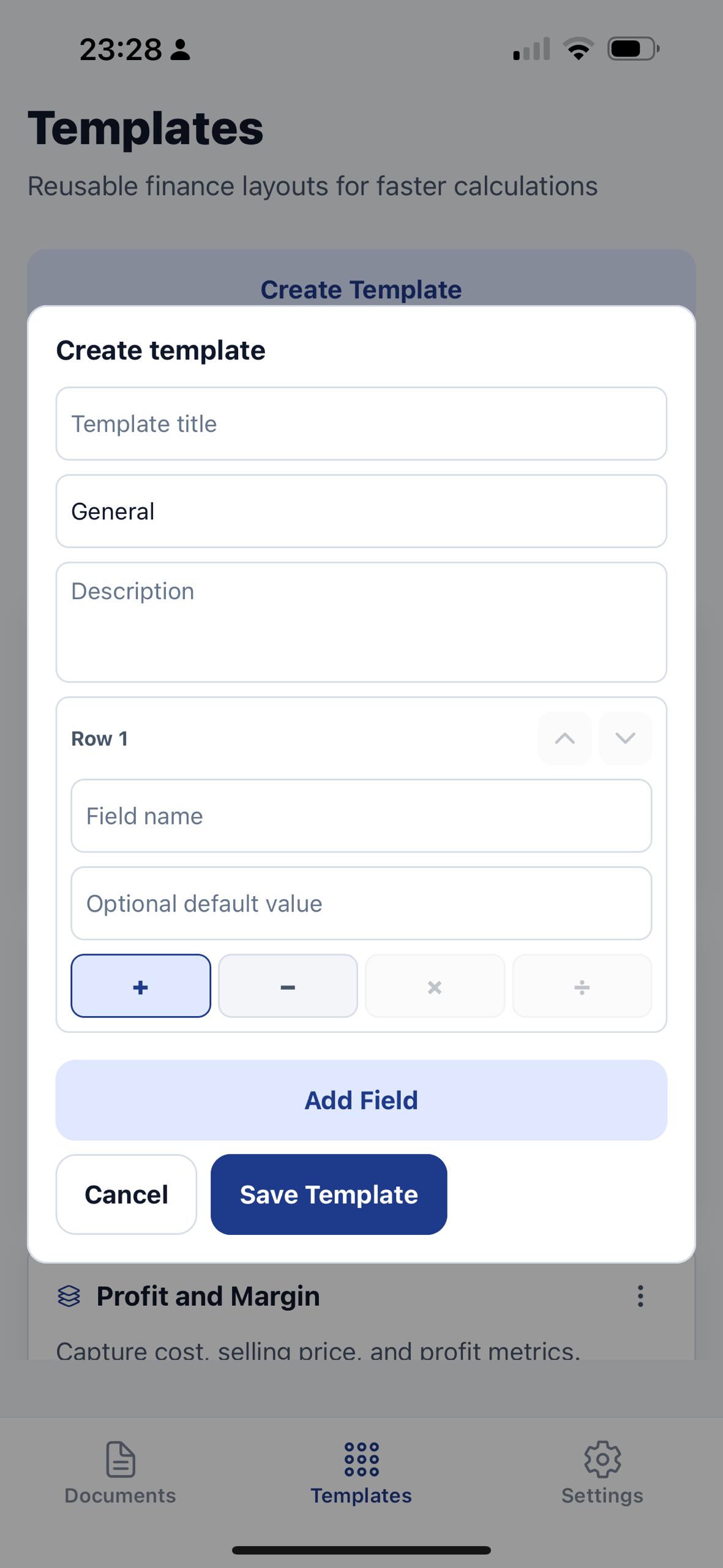
- Custom templates can define rows, operators, defaults, and descriptions before saving.
- Finance shortcuts stay close to the keypad so you do not leave the calculation flow.
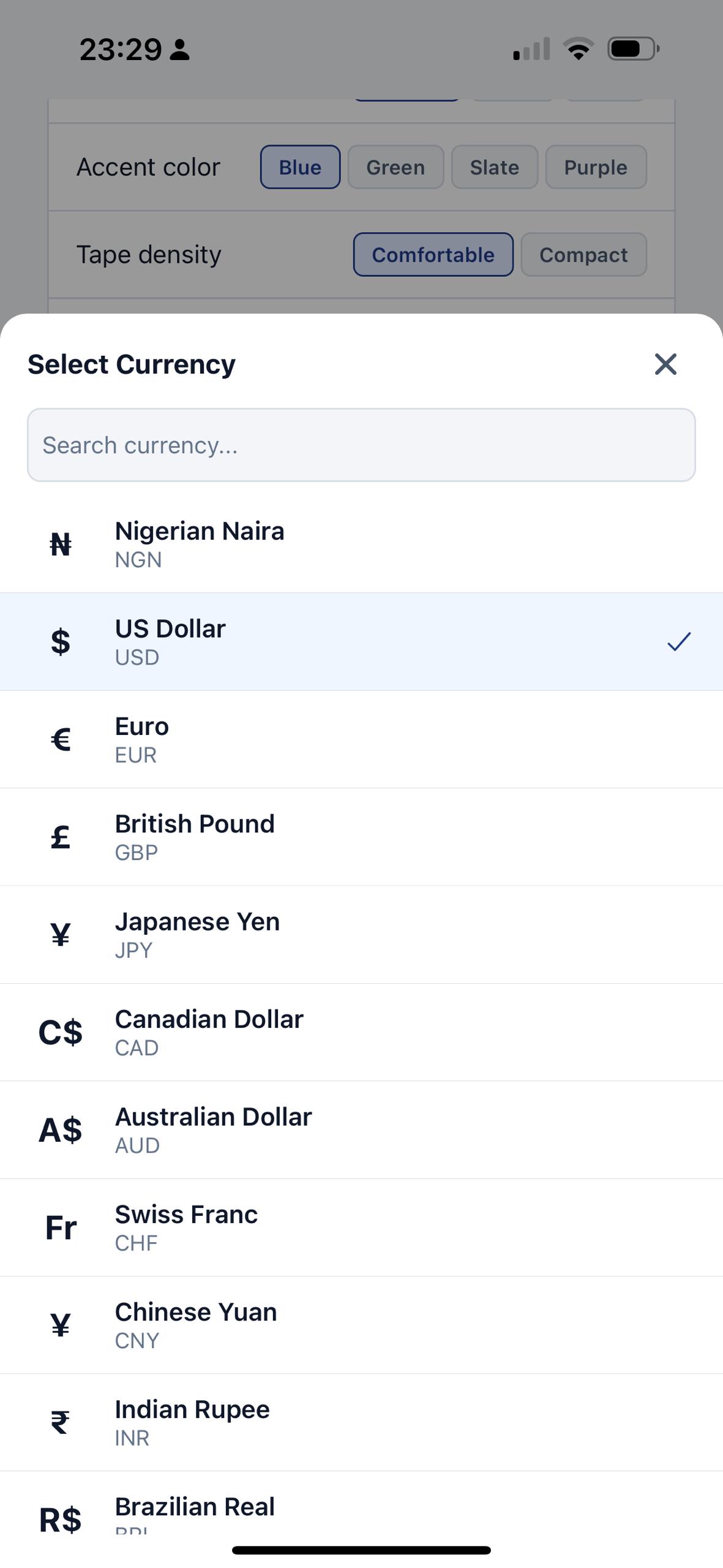
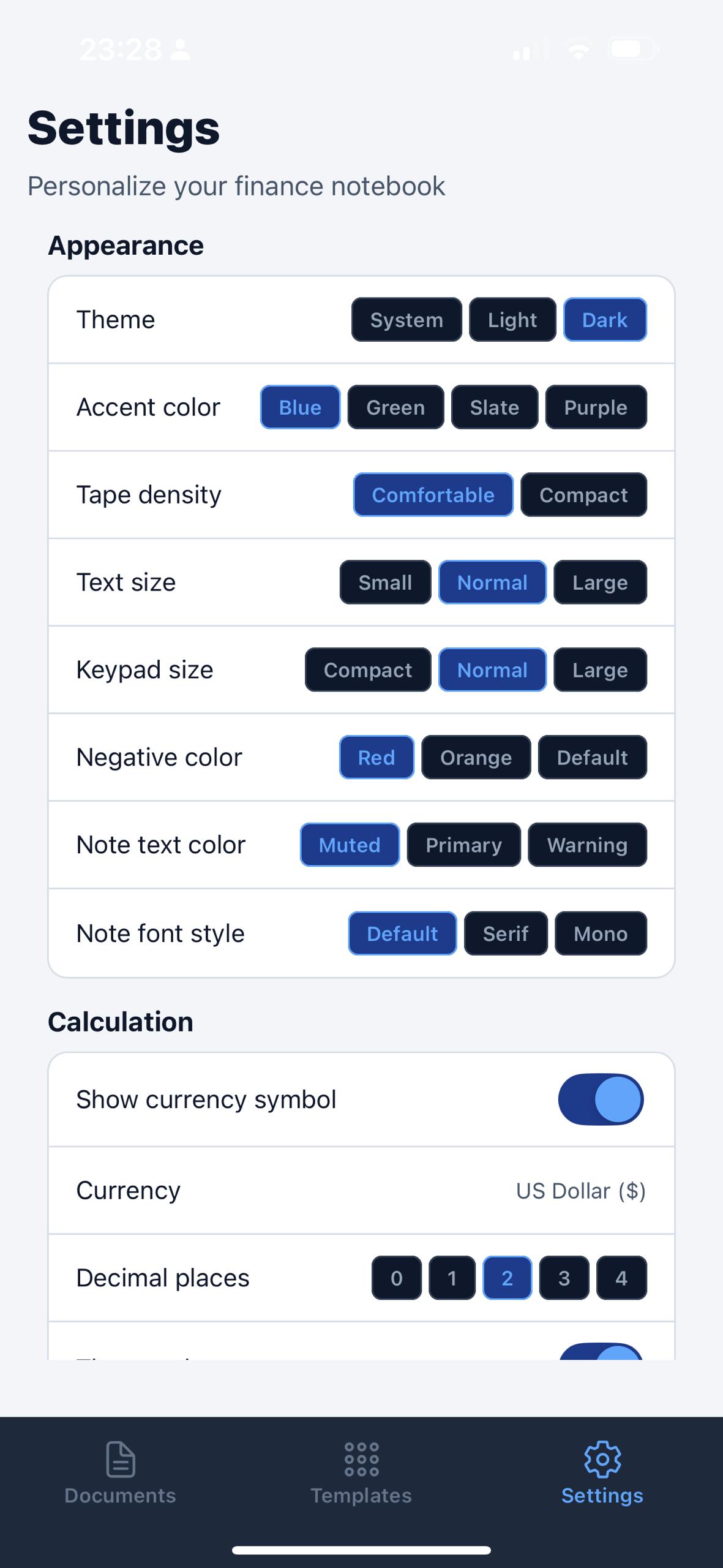
The settings area is part of the product story, not a forgotten afterthought.
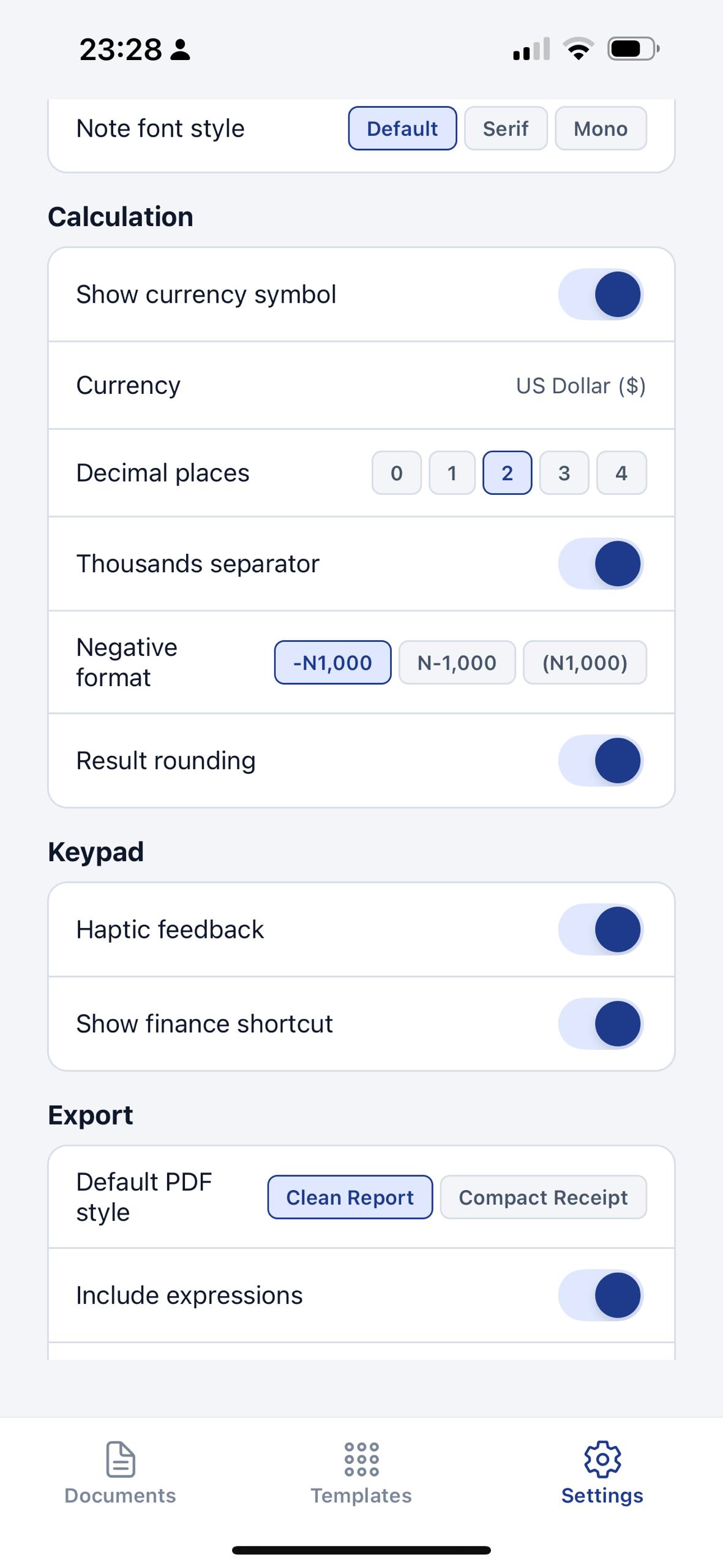
Appearance, tape density, text size, keypad size, note styling, export defaults, storage, backup and restore, privacy links, support, current plan, restore purchases, and about screens are all visible in the current app build.
Subscription language that matches the app instead of vague marketing.
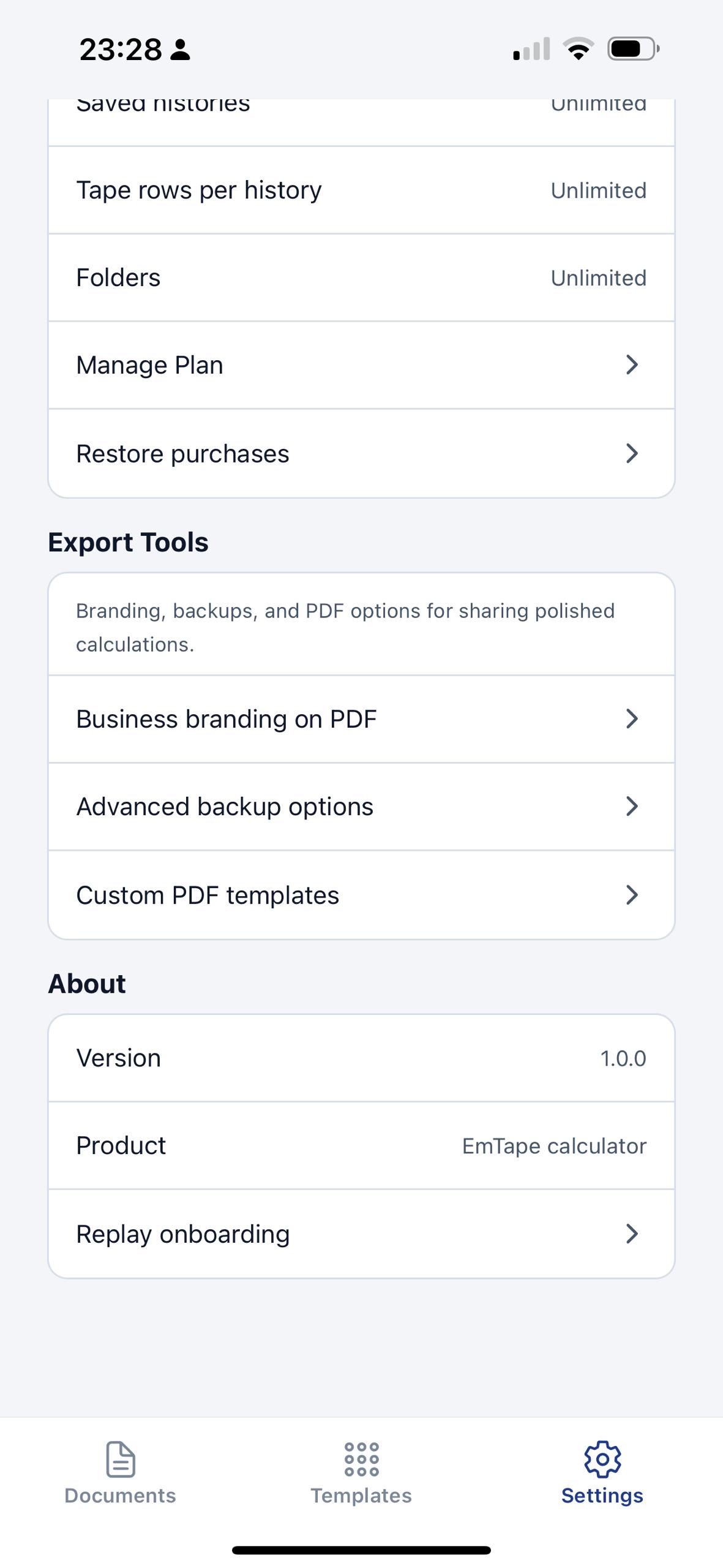
The current build shows a yearly plan, restore purchases, unlimited saved histories, unlimited tape rows per history, and unlimited folders. EmTape also presents support, privacy, and legal links directly inside settings.
New users receive a 14-day trial with app access rules explained in-app and in the store flow.
Billing, cancellation, renewals, and refunds are governed by the app store where the purchase is made.
Support, legal, and product details stay easy to find.
The site now mirrors the actual product surfaces you shared, and the support and legal pages are aligned to the current build instead of generic app-site filler.